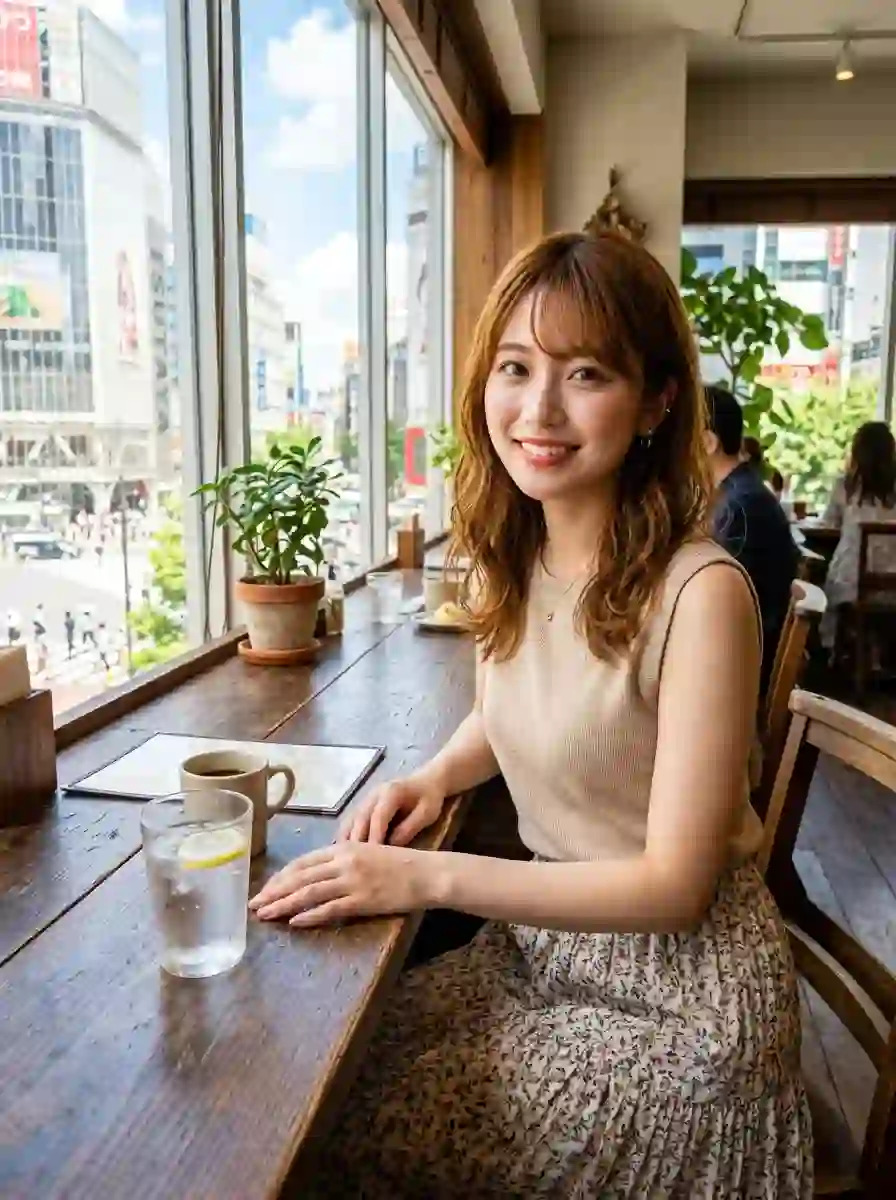
When generating AI portraits, simply adding general modifiers like “ultra-realistic” or “photorealistic” often yields counterproductive results: plastic-like skin, hyper-symmetrical faces, artificial studio lighting, and an eerie “uncanny valley” plastic effect.
The secret to eliminating the AI look is introducing real-world imperfections, camera noise, and unposed naturalness. Adding specific constraint prompts breaks the algorithm’s default tendency toward over-polished perfection.
Below are 20 field-tested prompt modifiers categorized by their visual impact, ready to copy and paste directly into your generator.
🔥 20 Prompts to Eliminate the “AI Plastic Look”
Category 1: Environment, Style & Overall Vibe
- 1️⃣ Grounding the Subject in Real Life“A natural photograph of an adult Japanese woman in her 20s, styled like a real photo taken on a smartphone and posted to social media.”
- Impact: Immediately anchors the output to real-world smartphone photo parameters rather than high-end renders.
- 2️⃣ Suppressing CG Textures“Suppress CG-like textures, excessive airbrushing, skin smoothing, and unnatural glossy sheen to emphasize realism.”
- Impact: Directs the model to disable its default skin-smoothing algorithms.
- 3️⃣ Rejecting Flawless Retouching“Maintain aesthetic appeal, but refrain from over-retouching or rendering the facial features and skin too flawlessly.”
- Impact: Preserves human skin texture and natural subcutaneous depth.
- 4️⃣ Candid “Everyday Girl” Aesthetic“Avoid looking like a commercial fashion model; frame it as a casual daily photo of an ordinary person.”
- Impact: Tones down theatrical posing and runway-style glamor.
- 5️⃣ Global AI Artifact Suppression“Avoid elements that look AI-generated; make it look like an authentic photo shared on real-world social media platforms.”
- Impact: Acts as an overarching style constraint across the entire image composition.
Category 2: Lighting, Optics & Camera Degradation
- 6️⃣ Downgrading Optics (Smartphone Lens Simulation)“Do not use high-performance professional cameras; mimic the casual, everyday snapshot quality of a smartphone camera.”
- Impact: Prevents hyper-sharp DSLR macro detail and artificial background blur.
- 7️⃣ Natural Ambient Lighting“Style the lighting as if lit solely by natural window light and subtle ambient room lighting.”
- Impact: Eliminates multi-point studio strobe lighting and unrealistic highlights.
- 8️⃣ Injecting Camera Artifacts & Grain“Retain subtle camera shake, smartphone sensor noise, and slightly coarse, unsharpened resolution.”
- Impact: Adds physical camera sensor imperfections that break the digital softness of AI renders.
- 9️⃣ Imperfect Framing & Asymmetric Composition“Avoid perfectly centered composition; introduce a slight tilt, uneven headroom, and candid framing.”
- Impact: Mimics quick, uncalculated handheld camera framing.
- 🔟 Unposed, In-the-Moment Capture“Do not pose deliberately for the camera; capture an authentic, split-second moment caught mid-activity.”
- Impact: Eliminates stiff “staged photo” body language.
Category 3: Facial Structure, Expression & Gaze
- 1️⃣1️⃣ Realistic Anatomical Proportions“Ensure realistic bone structure, facial contours, and anatomically balanced proportions for eyes, eyebrows, nose, and lips.”
- Impact: Prevents distorted anime-like proportions and unnatural chin narrowing.
- 1️⃣2️⃣ Natural Pupil Ratio & Eyelid Thickness“Do not oversize the pupils; preserve natural sclera visibility, subtle eyelid thickness, and realistic iris proportions.”
- Impact: Fixes the infamous “doll-eye” or enlarged contact lens look common in AI portraits.
- 1️⃣3️⃣ Subtle Micro-Expressions“Avoid exaggerated or forced smiles; keep expressions subtle with slight movement at the corners of the mouth and eyes.”
- Impact: Replaces rigid “pasted-on” smiles with genuine human emotion.
- 1️⃣4️⃣ Off-Camera Gaze“Slightly avert the gaze away from a direct stare into the lens for a natural, candid eye position.”
- Impact: Reduces intense, uncomfortable eye contact with the viewer.
- 1️⃣5️⃣ Natural Facial Asymmetry“Retain subtle natural asymmetry in the eyebrows, eye corners, and lips; do not render a perfectly mirrored face.”
- Impact: Eliminates the uncanny “computer-generated symmetry” effect.
Category 4: Micro-Textual Details (Skin, Hair & Hands)
- 1️⃣6️⃣ Authentic Skin Micro-Texture“Avoid uniform, airbrushed skin; subtly preserve visible pores, fine vellus hair, gentle skin flushing, and natural shadows.”
- Impact: Replaces plastic skin with real epidermis details.
- 1️⃣7️⃣ Anatomically Correct Hand Interactions“Render hands and fingers with natural count, joint structure, length, overlapping, and realistic phone-holding grip.”
- Impact: Prevents hand distortion and finger merging artifacts.
- 1️⃣8️⃣ Relatable Real-World Attractiveness“Maintain a clean, approachable aesthetic, prioritizing believable, real-world charm over unattainable perfection.”
- Impact: Keeps the character attractive while remaining grounded in reality.
- 1️⃣9️⃣ Organic Stray Hair Strands“Do not align hair in perfectly smooth strands; preserve natural flyaways, stray hairs, and subtle messy texture.”
- Impact: Replaces wig-like helmet hair with soft, natural hair flow.
- 2️⃣0️⃣ Final Output Master Constraint“While maintaining a high level of attractiveness, prioritize realism, daily life atmosphere, and natural imperfection above all.”
- Impact: Serves as a high-weight master instruction placed at the end of your prompt.
💡 The Quick-Start “3-Prompt Stack”
You don’t need to paste all 20 prompts at once. For optimal results with minimal prompt bloating, stack these three core rules:
Final Prompt = Your Character Description + Prompt 1 + Prompt 16 + Prompt 20
Adding this 3-step combination transforms your output from a stylized digital render into an authentic handheld photograph.